What AI wall design can't do — and the heightmap trick for faces and logos
An honest tool is more useful than a magic one. The AI design generator in Parametric Wall Studio is powerful, but it has a hard boundary worth understanding before you waste time fighting it: it cannot produce figurative shapes. This article explains why, how the tool handles that limit, and the feature that does let you put a face, a portrait or a logo on your wall.
Why a face is out of reach
The engine builds relief by composing mathematical patterns — sine waves, radial ripples, domes, stars — blended together. That is exactly what makes it fast and endlessly adjustable for organic, abstract walls. But no combination of those patterns will ever add up to a recognisable face, skull, animal or logo. Ask for one and the best you could get is circular noise that vaguely resembles the request.
This isn't a limitation of the AI specifically; it's a limitation of a pattern engine, and every parametric wall generator shares it. The AI is only as expressive as the parameters underneath it.
The tool tells you, instead of faking it
Early on, when asked for a skull, the generator would confidently claim it had made one and produce meaningless ripples — which is worse than useless, because you only discover the problem after cutting. So it was taught to say so plainly: for a face, a skull, an animal or a logo, it tells you the shape is beyond the pattern engine and points you at the right feature, while still offering the best abstract design that approaches your intent.
Recognising a limit out loud is what makes the rest of its output trustworthy. When it does propose a design, you know it isn't bluffing.
The heightmap: how to sculpt a real figure
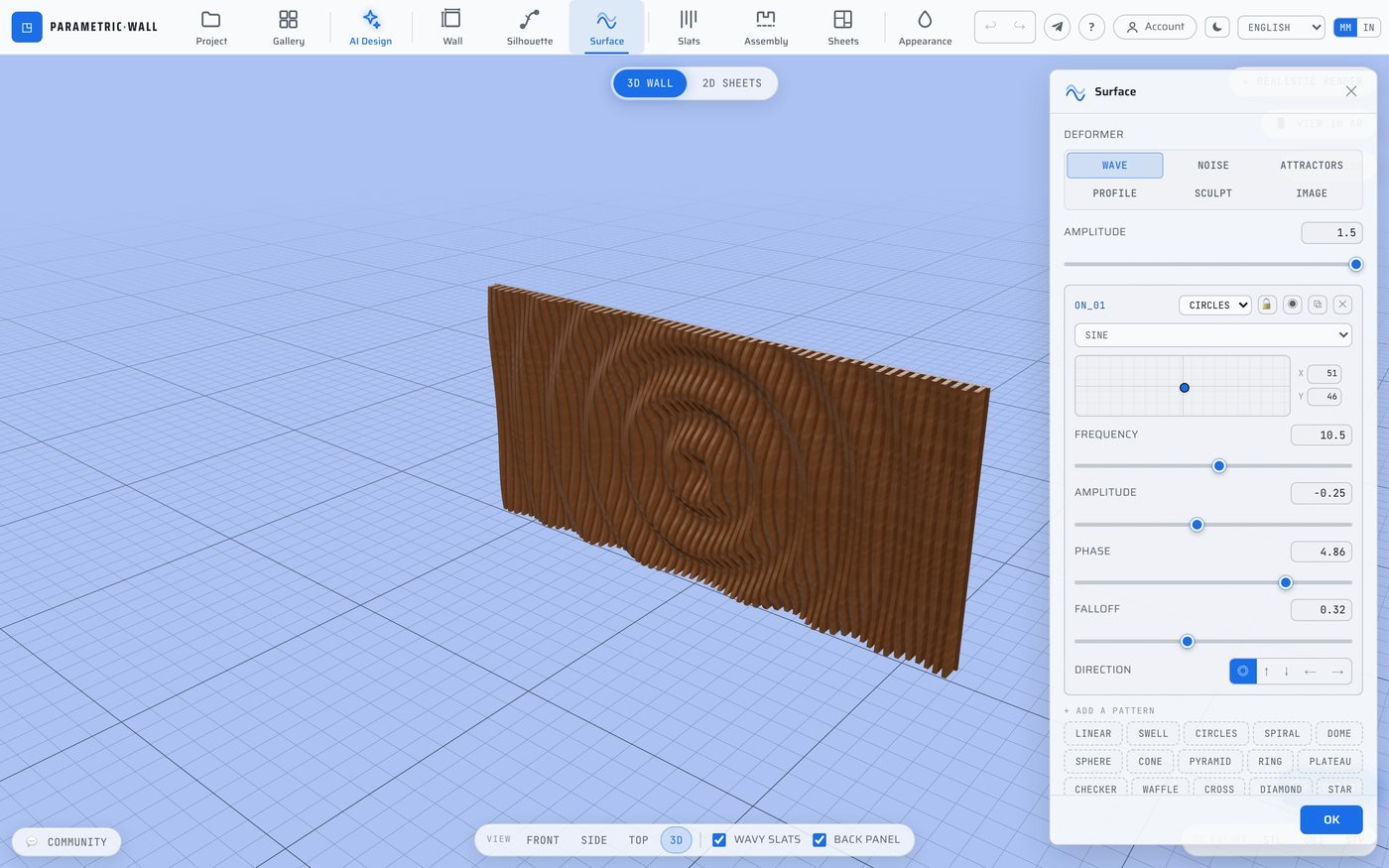
For figurative reliefs, use a heightmap instead of the AI. In the Surface section, choose the heightmap deformer and upload a grayscale image where white is closest to the viewer and black is farthest. The engine reads that brightness as depth and sculpts it into the wall — a genuine bas-relief of whatever the image shows: a face, a portrait, a logo, a landscape.
Where do you get the image? Any AI image generator will make one from a prompt like "grayscale depth map of a human face, front view, white = closest, black = background, smooth gradients". Then set the maximum depth and amplitude to control how far it stands out. There's a checkbox to invert it if the figure recedes instead of protruding.
Right tool, right job
So the division is simple. For organic, abstract, decorative walls — waves, ripples, dunes, acoustic panels, sunbursts — describe them to the AI and refine with the copilot. For a specific figure — a face, a logo, a piece of art — draw or generate a grayscale heightmap and let the surface engine sculpt it. Between the two, almost any wall you can picture is reachable.